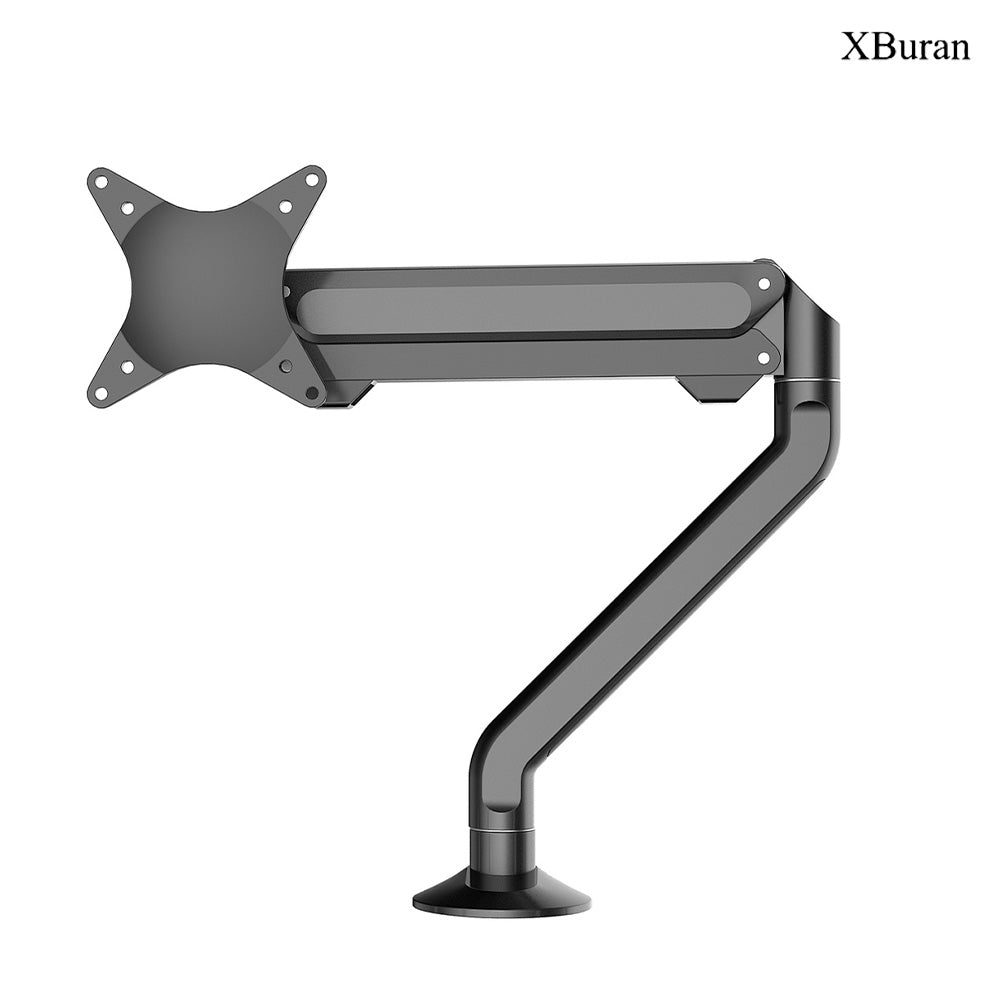

XBuran Ergonomic Monitor Arm — Relieve Neck Strain, Maximize Desk Space
Brand:Xburan
Couldn't load pickup availability
🪑 Ergonomic design, say goodbye to sedentary fatigue
Full dimensional free adjustment: supports -90 °~+90 ° screen rotation, ± 180 ° horizontal swing, -45 °~+45 ° pitch adjustment, easily switches between landscape/portrait modes, and finds the most suitable sitting height and angle for you.
Relieve neck and shoulder pressure: Raise the monitor to level with the line of sight, reduce poor posture such as bowing and tilting the head, effectively alleviate cervical and lumbar fatigue caused by prolonged sitting in the office, and improve long-term office comfort.
🚀 Gas spring technology, smooth lifting without pressure
High strength gas spring system: Equipped with high-quality gas springs, it is suitable for displays ranging from 17-32 inches and 2-8kg (or 3-10kg, depending on the model). The lifting, pushing, and drawing are smooth without any lag, and the position can be easily adjusted with one hand.
Load bearing stability and no shaking: The aluminum alloy bracket with thickened joint structure ensures long-term use without sagging or shaking, ensuring stable fixation of the monitor and no shaking of the image.
🧹 Free up desktop space and create a clean workspace
Desktop Utilization UP: Replace traditional monitor bases, save a lot of space on the desktop, easily place keyboards, mice, laptops, files, and say goodbye to cluttered desktops.
Hidden cable management design: The bracket has a built-in cable management slot that can store HDMI cables, power cables, and other cables, making the desktop refreshing and tangle free, creating a minimalist office environment.
🛡️ Universal adaptation, easy installation
Standard VESA interface: compatible with monitors with a VESA hole pitch of 75 × 75mm/100 × 100mm, which can be adapted to most brands of monitors on the market.
Two installation methods: support clamp (C-clamp) and punch (Grommet) installation, suitable for desktops of different thicknesses, can be installed stably without punching holes, and is friendly to renters.
Quick installation process: Comes with all installation accessories and instructions, one person can complete the installation in 15 minutes without the need for additional tools.
🛠️ Durable material+safety protection
Aviation grade aluminum alloy material: The main body of the bracket is made of high-strength aluminum alloy, with anodized surface treatment, scratch resistant and wear-resistant, and is not easy to rust or deform after long-term use.
Anti dumping safety lock: After installation, it comes with an anti loosening fixing structure, making the monitor less likely to slip off and more secure to use.
🎯 Applicable scenarios
Working from home/remote: Adjust the height of the monitor to create ergonomic workstations, improving office efficiency and comfort.
Gaming Esports Scene: Adjust the screen position from multiple angles, adapt to different sitting positions, and play games for a long time without getting tired. You can also switch to vertical screen to play mobile games and watch strategies.
Design/Editing Work: Vertical mode is more suitable for viewing long images, code, and documents, improving work efficiency and making multitasking more convenient.
Student Party/Postgraduate Entrance Exam Party: Raise the monitor to reduce the time spent looking down at the screen, protect the neck, and make the desktop space more spacious.
Share